The AI knowledge layer for mechanical design.

Leverage your engineering data to streamline handoffs, reduce rework, and help products move from concept to reality faster.

Built by Mechanical & AI Engineers from…

Built for product design, manufacturing, and hardware companies

Unlock your design intent.

1. Integrate

1. Integrate

All your engineering data, finally connected.
Integrate and parse through your existing legacy data, including CAD files, FEA reports, SOPs, product requirement docs, and email/chat history.
A documentation dashboard with a search bar, documentation entries with dates and file counts, and options to download, upload, or delete files. Technical specifications and executive summaries are shown for selected entries, emphasizing organized engineering data management.

2. Watch

2. Watch

Stop losing design intent, let Tandem capture it.
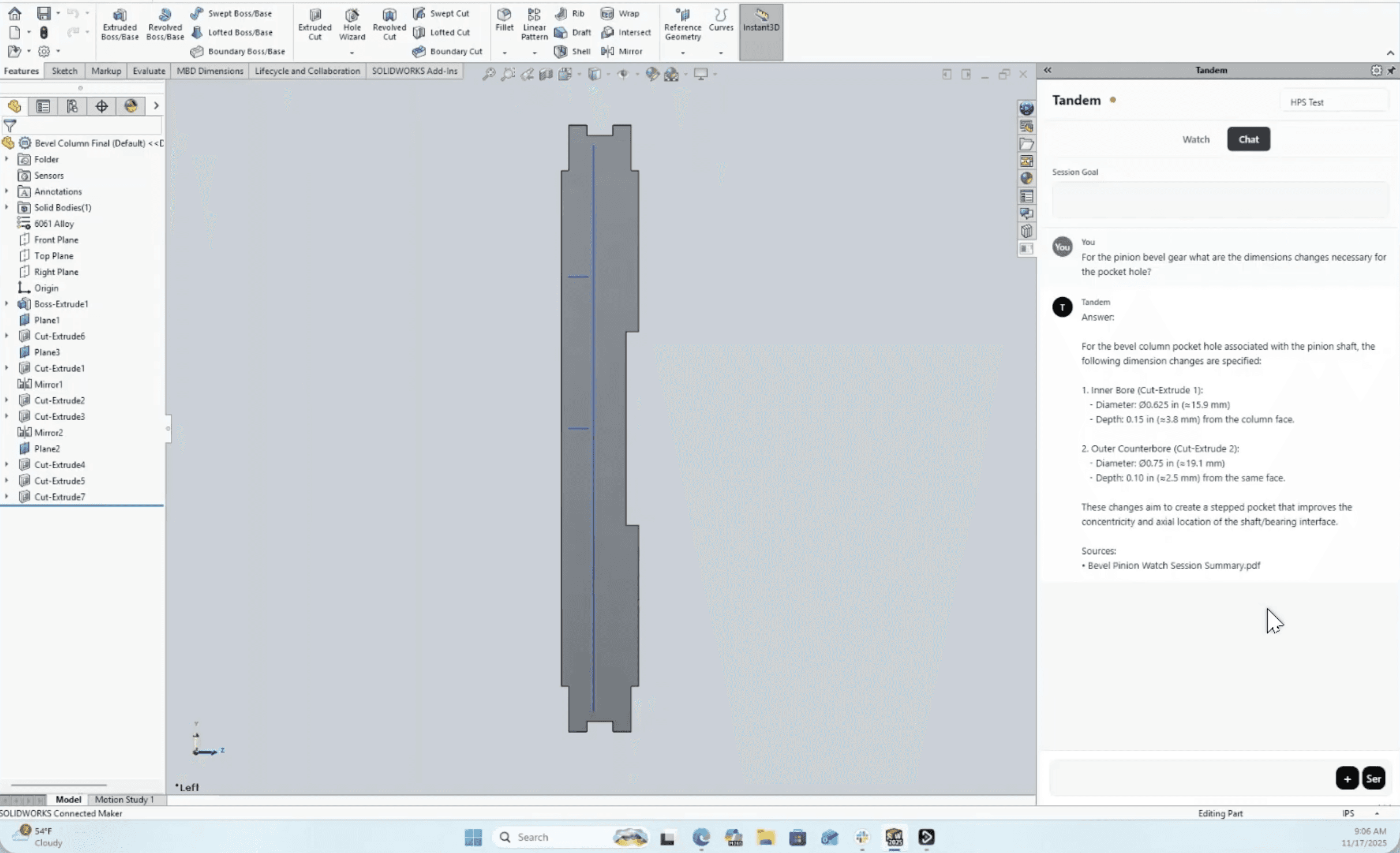
Track design decisions in CAD as they happen. Tandem records every sketch, mate, and feature in real time.
Computer screen displaying a SolidWorks 3D modeling interface, with an engineer designing a mechanical assembly. The center shows a detailed metallic and red component, while the right side features the Tandem Watch panel, including Tandem Docs and Tandem Assistant sections for enhanced documentation and design support. The left panel lists model components, and toolbars are visible at the top, highlighting a technical CAD workflow.

3. Assist

3. Assist

3. Assist

Stay in flow, let Tandem assist.

Catch product requirements, compliance issues, and best practices as you design & manufacture.

|

|

Seamless Integration, Zero Hassle

Tandem works where your engineers already do.

This image is showing that Tandem integrates with Onshape by PTC
This image is showing that Tandem integrates with Solidworks
This image is showing that Tandem integrates with Siemens NX
This image is showing that Tandem integrates with Autodesk Inventor
This image is showing that Tandem integrates with Dassault Systemes Catia

Tandem does powerful work in a really simple way

All within an enterprise-grade secure environment.

Guard requirements and standards

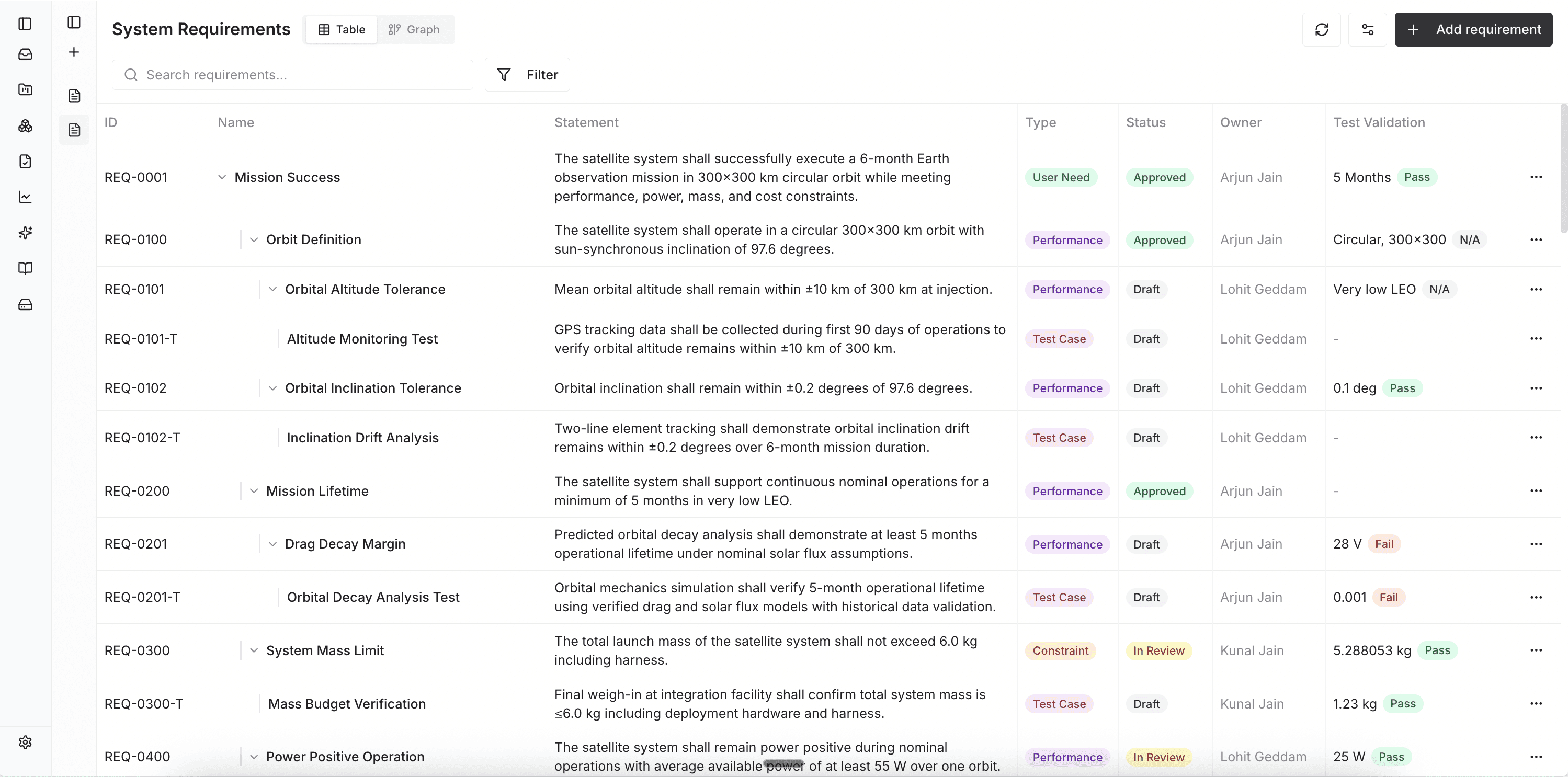
Tandem watches feature and drawing changes in CAD, runs them against linked requirements, standards, and GD&T, and shows which tests and reviews are affected. Design, systems, and manufacturing see the same view, so issues surface early instead of at build or audit.

Guard requirements and standards

Tandem watches feature and drawing changes in CAD, runs them against linked requirements, standards, and GD&T, and shows which tests and reviews are affected. Design, systems, and manufacturing see the same view, so issues surface early instead of at build or audit.

Guard requirements and standards

Tandem watches feature and drawing changes in CAD, runs them against linked requirements, standards, and GD&T, and shows which tests and reviews are affected. Design, systems, and manufacturing see the same view, so issues surface early instead of at build or audit.

Capture design intent as you go

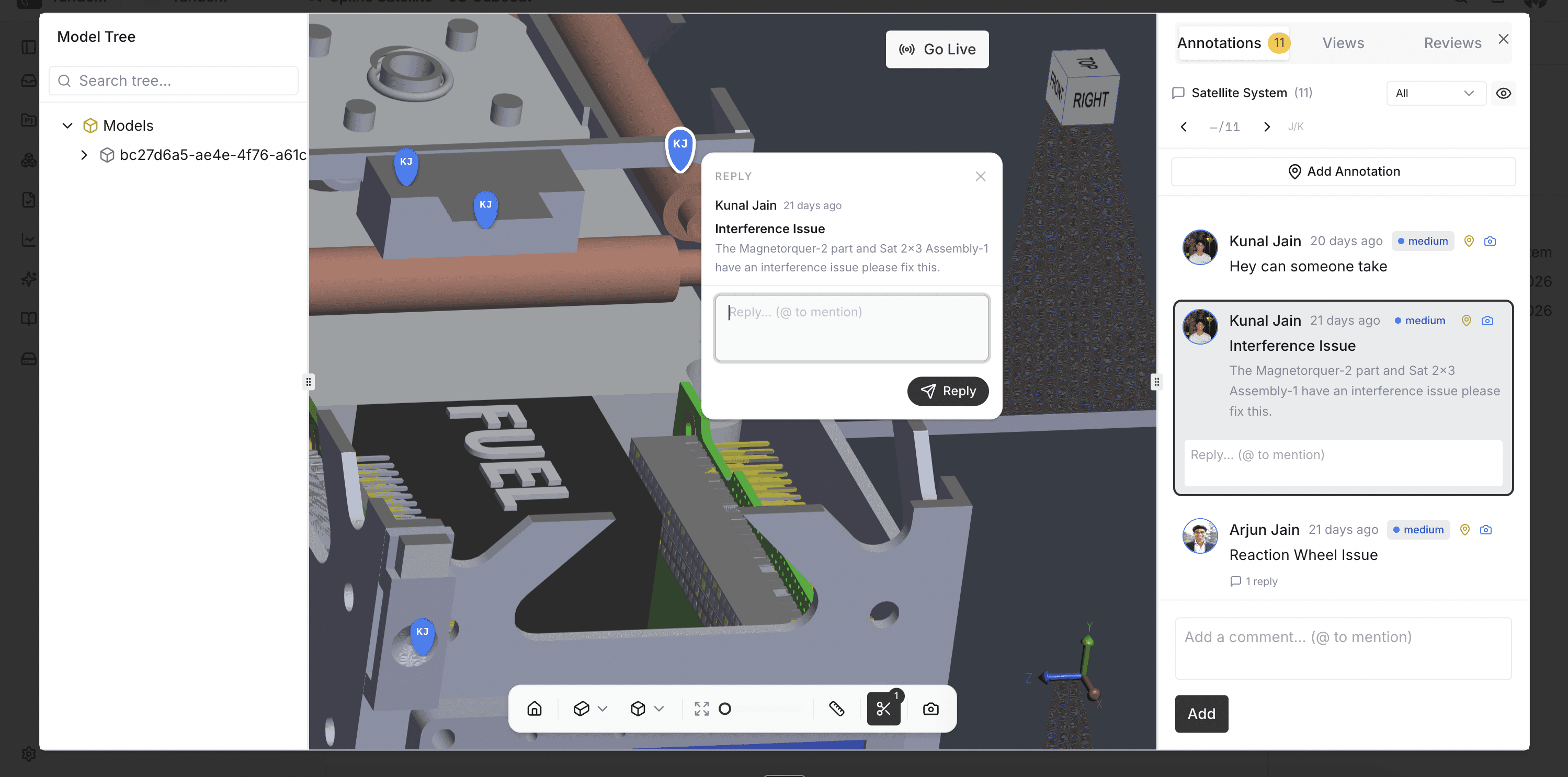
Comments, review notes, and emails are linked back to the exact parts and features they refer to. When someone asks “why is this 0.2 mm?”, the rationale is a click away instead of a scavenger hunt.

Capture design intent as you go

Comments, review notes, and emails are linked back to the exact parts and features they refer to. When someone asks “why is this 0.2 mm?”, the rationale is a click away instead of a scavenger hunt.

Capture design intent as you go

Comments, review notes, and emails are linked back to the exact parts and features they refer to. When someone asks “why is this 0.2 mm?”, the rationale is a click away instead of a scavenger hunt.

Act like a proactive teammate, not a passive log

Tandem doesn’t wait for you to query a database. It surfaces the requirements, past decisions, and open risks that matter for the part you’re editing, suggests next checks, and points to the people and threads you should loop in.

Act like a proactive teammate, not a passive log

Tandem doesn’t wait for you to query a database. It surfaces the requirements, past decisions, and open risks that matter for the part you’re editing, suggests next checks, and points to the people and threads you should loop in.

Act like a proactive teammate, not a passive log

Tandem doesn’t wait for you to query a database. It surfaces the requirements, past decisions, and open risks that matter for the part you’re editing, suggests next checks, and points to the people and threads you should loop in.